



Your Illinois public library trustees are government officials who serve as the eyes, ears, and even the heart of the community in matters about the library. Yet, trustees often need more preparation for the job.
The iLEAD Trustee Learning Portal is the state's premier library trustee training program. The portal is online, with entirely self-paced modules! Also, because iLEAD is entirely funded by the Illinois State Library, it's free for all users!
In the iLEAD portal you'll learn from subject matter experts across the state. You'll gain key insights, learn the legal requirements of your role, and find practical resources to help you serve as an effective, confident, and influential leader of your library.
Sign up for a Free 2-Hour Workshop
iLEAD is hosting free two-hour workshops at locations across the state. Public library directors and trustees are invited to join iLEAD representatives to learn more about how board members can tap into the self-paced courses of the iLEAD learning portal.
Workshops are hybrid, and registrants are invited to join in person at a convenient location or online. In-person space is limited (varies by location), and registration is required.
View the complete schedule and register for a free workshop at www.ileadtrustee.org/updates.
iLEAD was created for the public library trustees of Illinois by Illinois Heartland Library System. Funding for this project was awarded to Illinois Heartland Library System by the Illinois State Library, a Department of the Office of Secretary of State, using funds provided by the U.S. Institute of Museum and Library Services, under the provisions of the Library Services and Technology Act (LSTA).
Access the iLEAD Trustee Learning Portal on Your Phone
- Text Instructions
-
Android Instructions
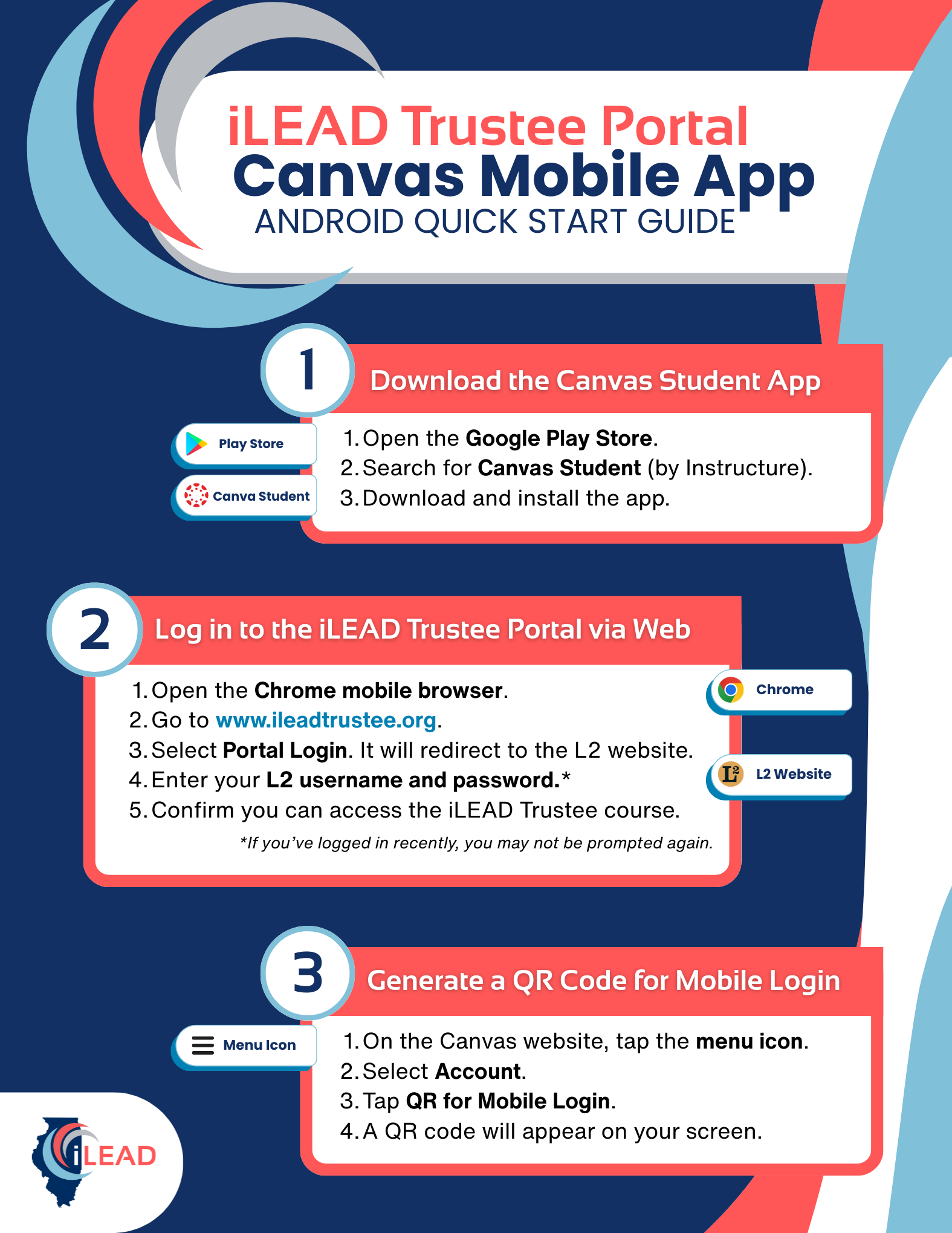
- Step 1. Download the Canvas Student App.
- Open the Google Play Store.
- Search for Canvas Student (by Instructure).
- Download and install the app.
- Step 2. Log in to the iLEAD Trustee Portal via Web
- Open the Chrome mobile browser.
- Go to www.ileadtrustee.org.
- Select Portal Login. It will redirect to the L2 website.
- Enter your L2 username and password. (If you’ve logged in recently, you may not be prompted again.)
- Confirm you can access the iLEAD Trustee course.
- Step 3. Generate a QR Code for Mobile Login
- On the Canvas website, tap the menu icon (☰).
- Select Account.
- Tap QR for Mobile Login.
- A QR code will appear.
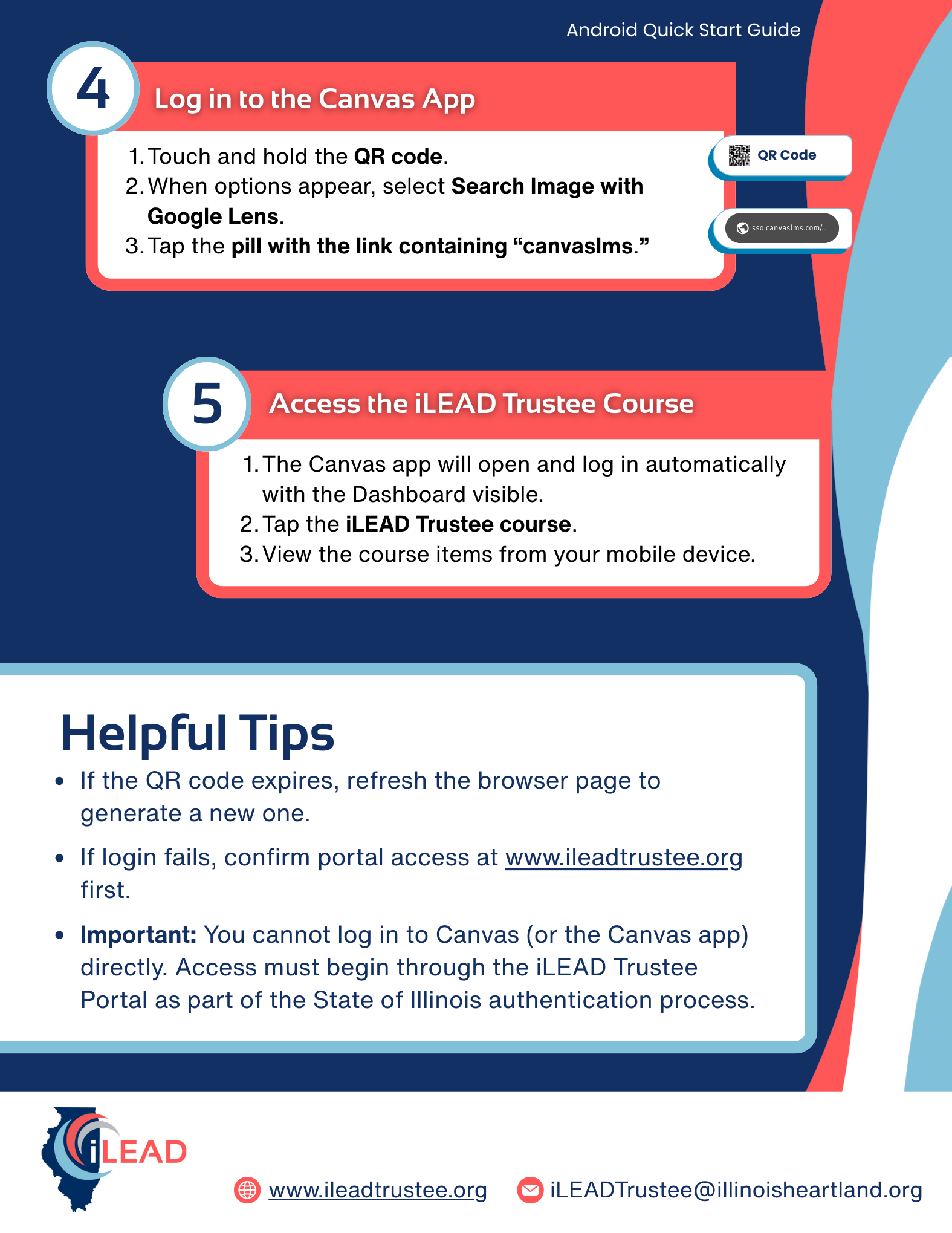
- Step 4. Log in to the Canvas App
- Touch and hold the QR code.
- When options appear, select Search Image with Google Lens.
- Tap the pill with the link containing “canvaslms.”
- Step 5. Access the iLEAD Trustee Course.
- The Canvas app will open and log in automatically with the Dashboard visible.
- Tap the iLEAD Trustee course.
- View the course items from your mobile device.
Helpful Hints
If the QR code expires, refresh the browser page to generate a new one.
If login fails, confirm portal access at www.ileadtrustee.org first.
Important: You cannot log in to Canvas (or the Canvas app) directly. Access must begin through the iLEAD Trustee Portal as part of the State of Illinois authentication process.
iPhone Instructions
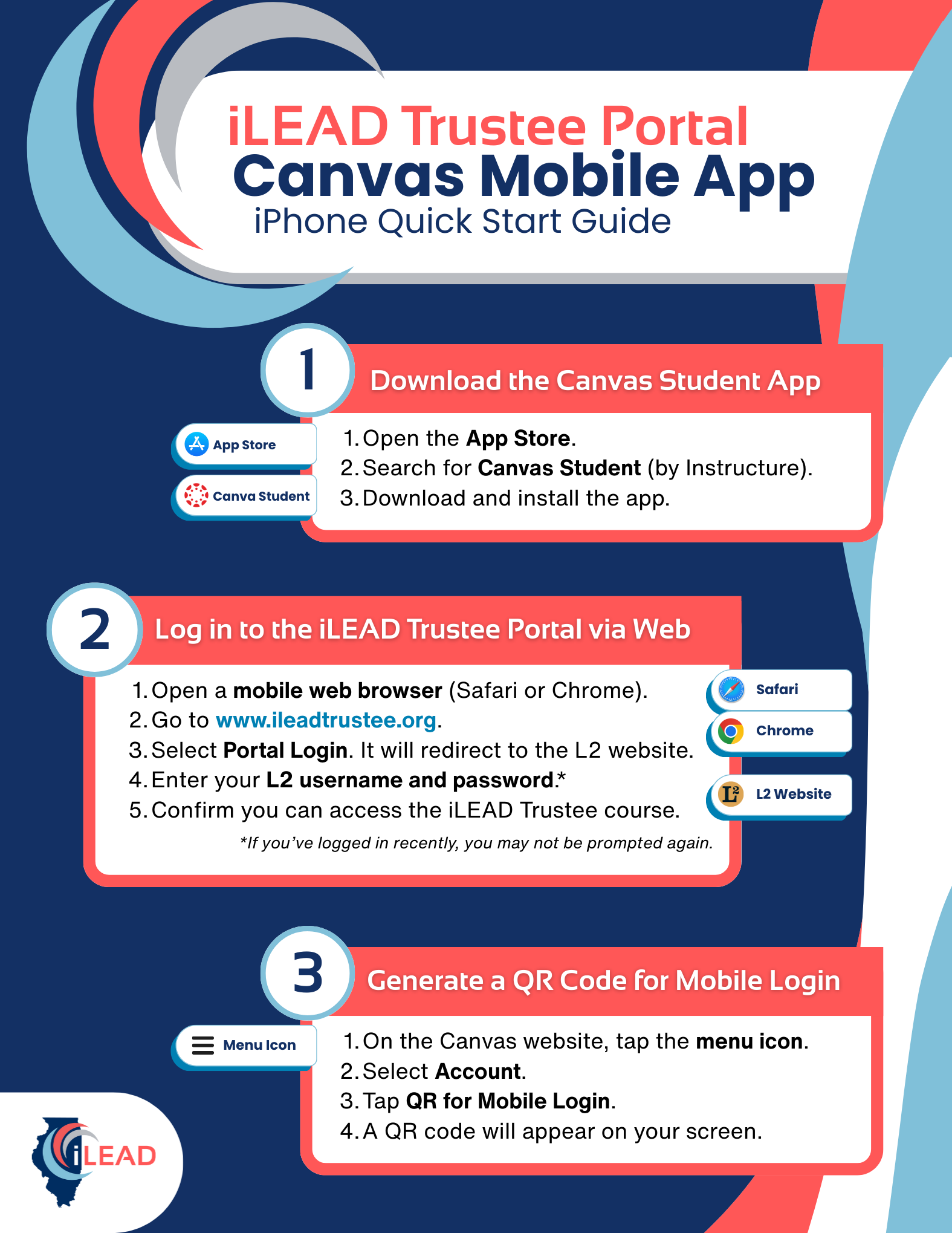
- Step 1. Download the Canvas Student App.
- Open the App Store.
- Search for Canvas Student (by Instructure).
- Download and install the app.
- Step 2. Log in to the iLEAD Trustee Portal via Web
- Open the a mobile web browser (Safari or Chrome).
- Go to www.ileadtrustee.org.
- Select Portal Login. It will redirect to the L2 website.
- Enter your L2 username and password. (If you’ve logged in recently, you may not be prompted again.)
- Confirm you can access the iLEAD Trustee course.
- Step 3. Generate a QR Code for Mobile Login
- On the Canvas website, tap the menu icon (☰).
- Select Account.
- Tap QR for Mobile Login.
- A QR code will appear.
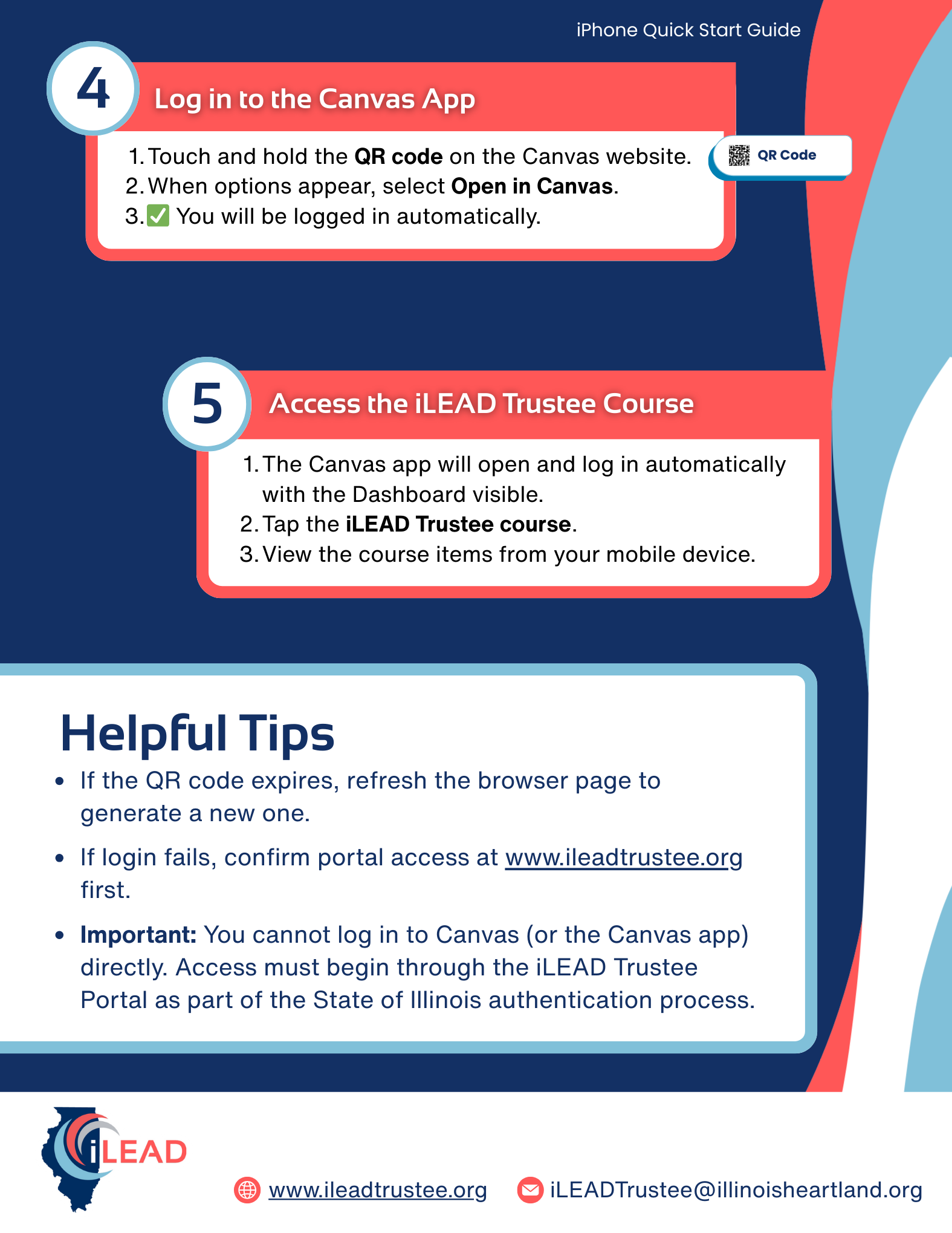
- Step 4. Log in to the Canvas App
- Touch and hold the QR code on the Canvas website.
- When options appear, select Open in Canvas.
- ✅ You will be logged in automatically.
- Step 5. Access the iLEAD Trustee Course.
- The Canvas app will open and log in automatically with the Dashboard visible.
- Tap the iLEAD Trustee course.
- View the course items from your mobile device.
Helpful Hints
If the QR code expires, refresh the browser page to generate a new one.
If login fails, confirm portal access at www.ileadtrustee.org first.
Important: You cannot log in to Canvas (or the Canvas app) directly. Access must begin through the iLEAD Trustee Portal as part of the State of Illinois authentication process.
- Step 1. Download the Canvas Student App.
- Graphic Instructions
-
Graphic Android Guide
 Click Image to Enlarge
 Click Image to Enlarge
Download the Printable Android Guide
Graphic iPhone Guide
 Click Image to Enlarge
 Click Image to Enlarge