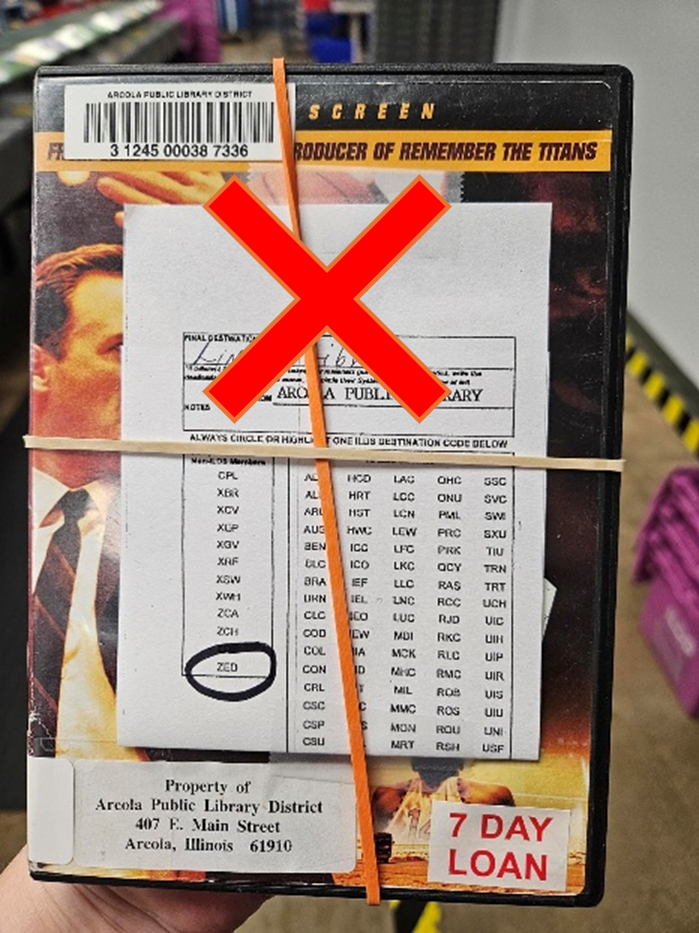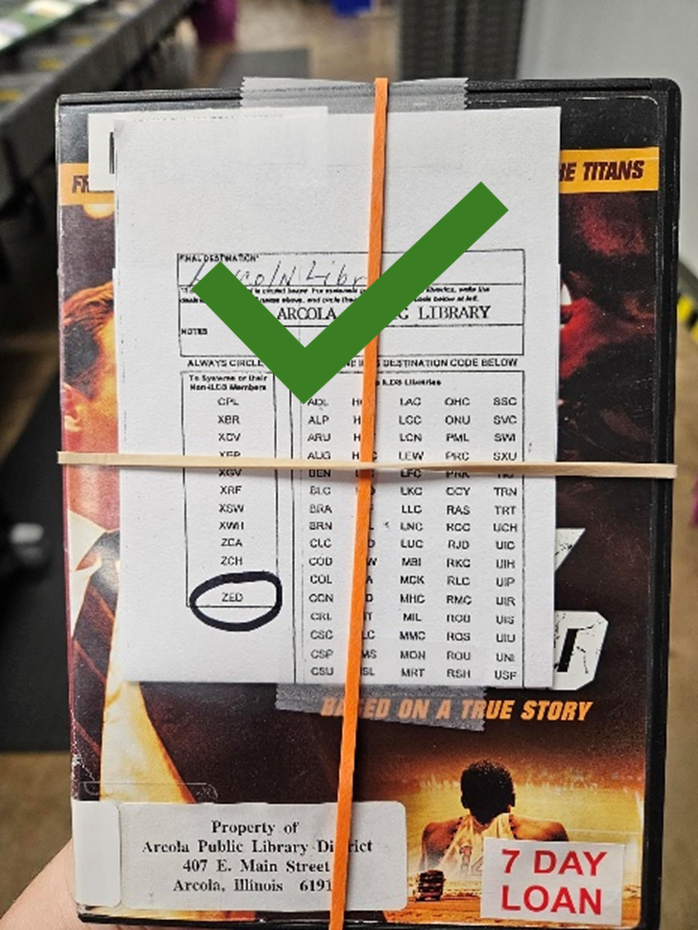
As delivery workflows continue to evolve, it’s important to understand which items still require a transit label after the implementation of the Automated Materials Handling System (AMHS) and how those labels should be applied. This article provides a visually clear guide you can reference at your circulation desk.
🚫 Items That Do NOT Need a Transit Label
SHARE Member → SHARE Member
Standard SHARE member-to-SHARE member loans for items traveling between SHARE libraries and requested within Polaris are automatically sorted by the automated system and do not need a transit label.
Exception: Damaged Items

✅ Items That DO Require a Transit Label
Transit labels are still required for any item not traveling from one SHARE member to another. Transit Labels for Standalone and ILDS Libraries guidelines are still available for those who still need them.
|
Item Type |
Transit Label Required? |
|
SHARE → SHARE |
❌ No |
|
SHARE → SHARE (Damaged) |
❌ No* Major Damage—send with Damaged Item Form |
|
OCLC |
✅ Yes |
|
ILDS |
✅ Yes |
|
Standalone Member |
✅ Yes |
|
Cataloging (Don’t forget to add a property mark!) |
✅ Yes |
📝 Final Reminders
- Transit labels are still essential for interlibrary loan outside of SHARE (i.e., items going to an IHLS standalone library).
- Correct placement helps sorting staff work efficiently.
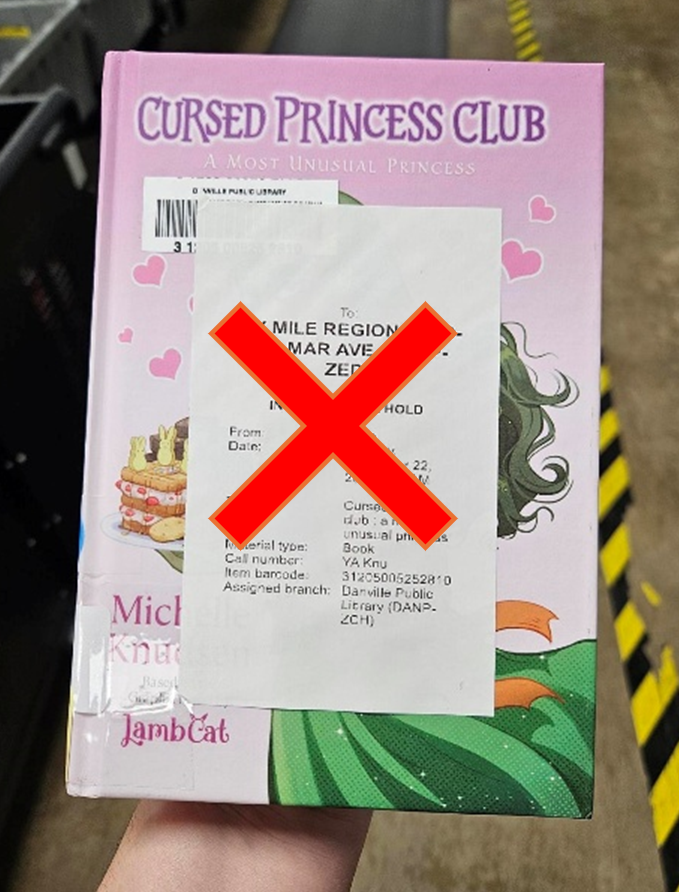
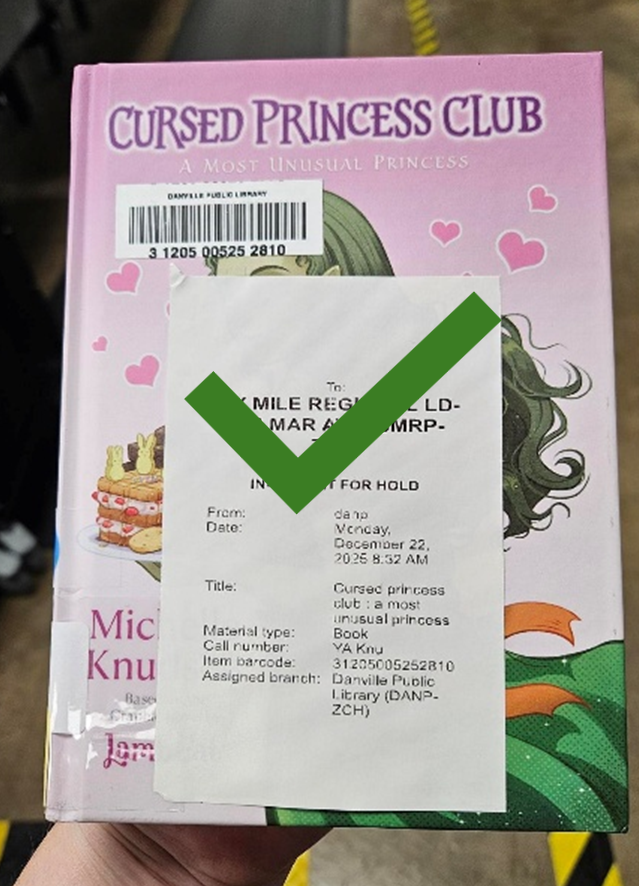
- Avoid covering barcodes with automated receipts, unless the item is intentionally a no-scan item.
- When in doubt, refer to IHLS Delivery Guidelines or contact IHLS staff.
Thank you for helping keep Delivery running smoothly and efficiently!
🏷️ Proper Transit Label Placement
Transit Labels on Items Must Be Placed on the Outside of the Item
Standard Delivery Between SHARE Members
⚠️ If you choose to print and apply, please do not cover the barcode with SHARE automated receipts. This slows down the induction process and creates confusion.
All Other Items
Cover up the barcode and secure with a rubber band—this signals to sorting staff that the item is a no-scan item.